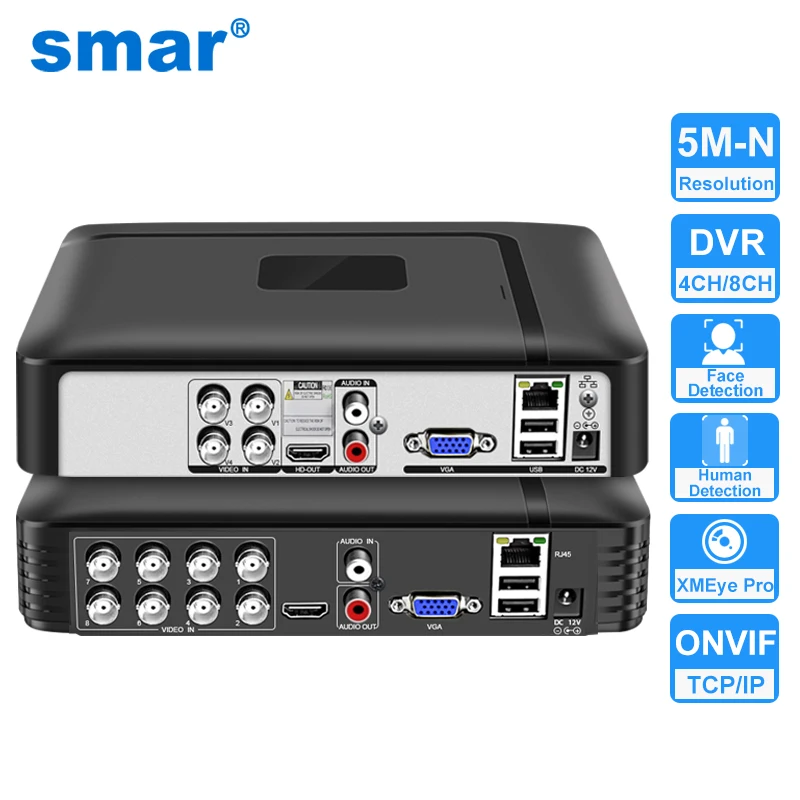

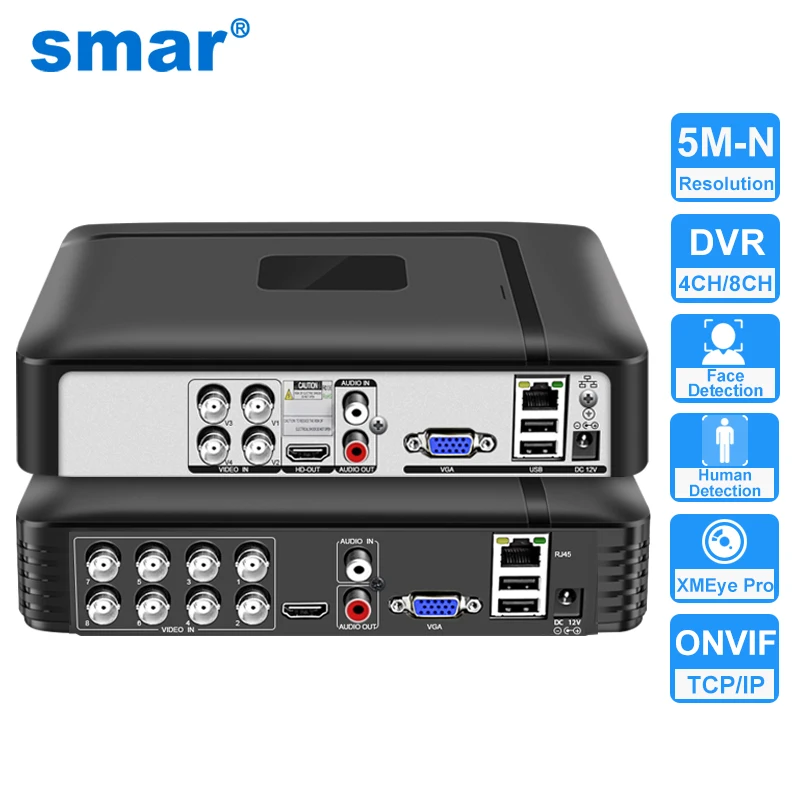

XMEye 4CH/8CH 5M-N 5in1 Hybrid DVR Recorder with Human/face Detection
Main Features:
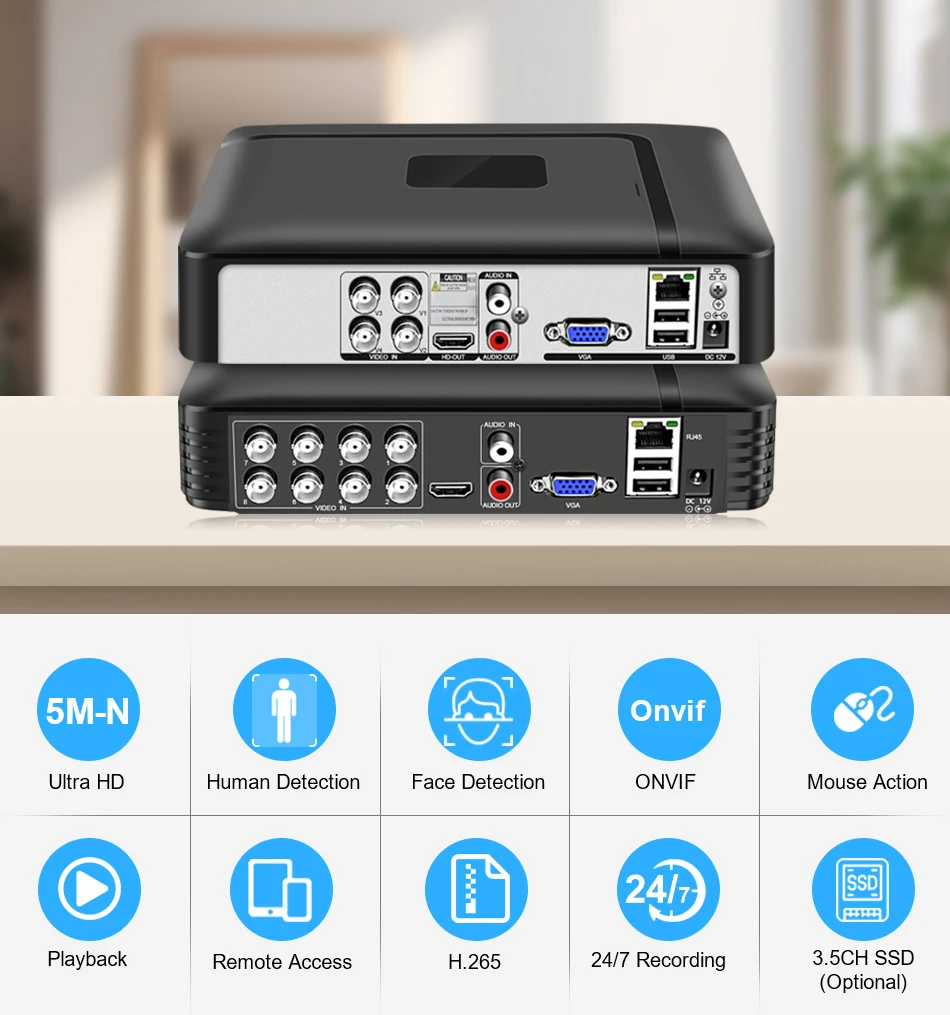
- Support H.265+ encoding, ultra-low bitrates, compatible with H.264 surroundings;
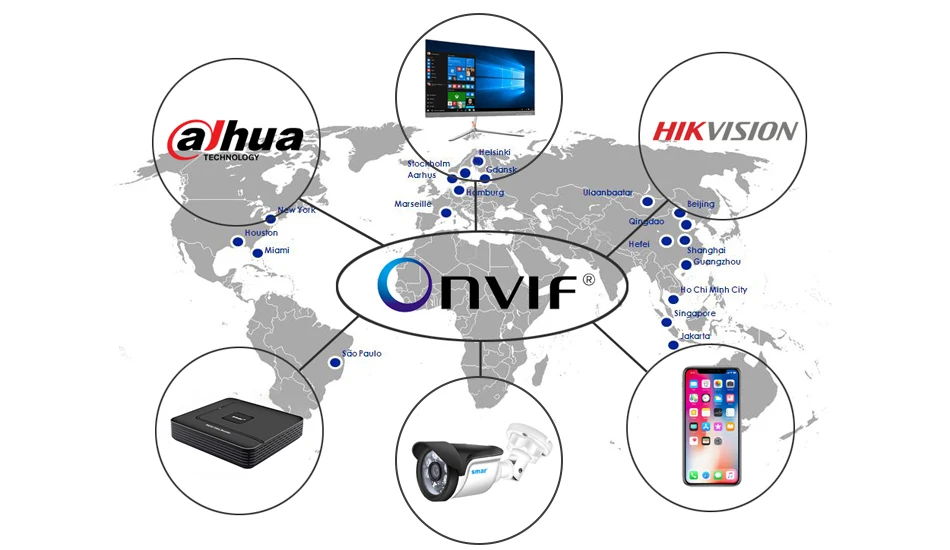
- Support ONVIF; access third party;
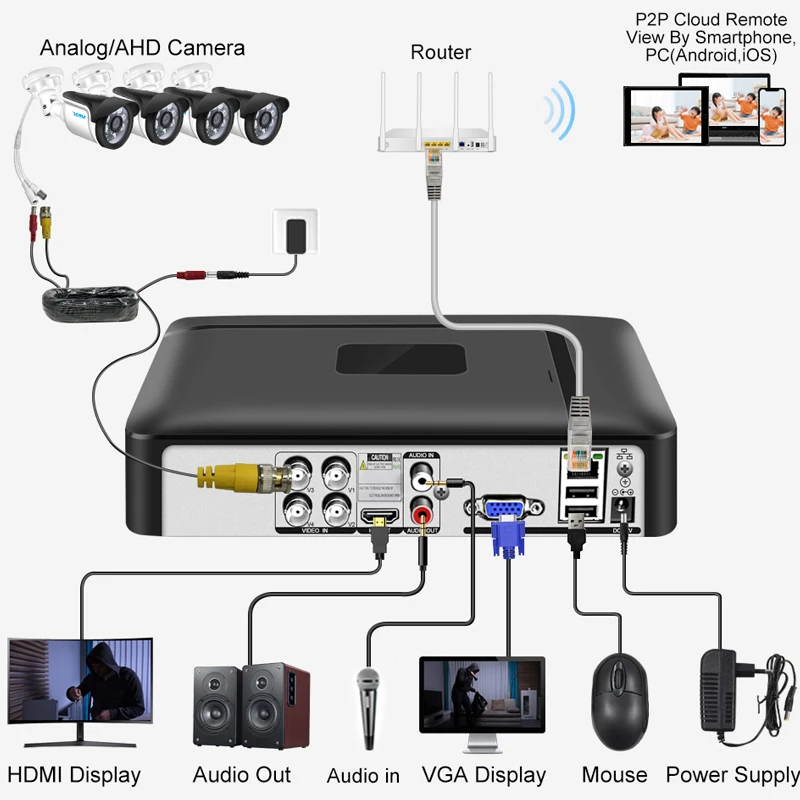
- Support multiple cloud technology, network penetration, alarm information pushed to your phone and other functions;
- Support web, CMS, center platform management software MYEYE, provide SDK development;
- Support various mobile monitoring (iPhone, Android);
- Remote Access, With DNS (ARSP),easy to monitor remotely
- Support AHD/TVI/CVI/CVBS/IP five signals;
- Support Digital to analog conversion,Instant playback
- Encode ability: 4*5M-N (4CH)/ 8*5M-N(8CH)
- Decode ability: 4*5M-N (4CH)/ 8*5M-N(8CH)
- Record mode :Manual>alarm>motion detection>timing
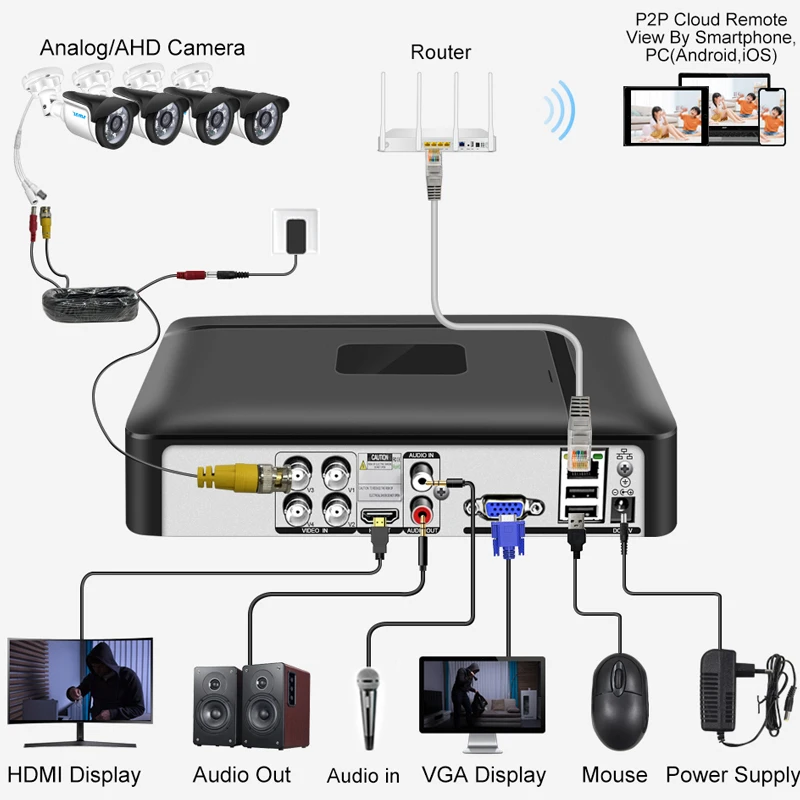
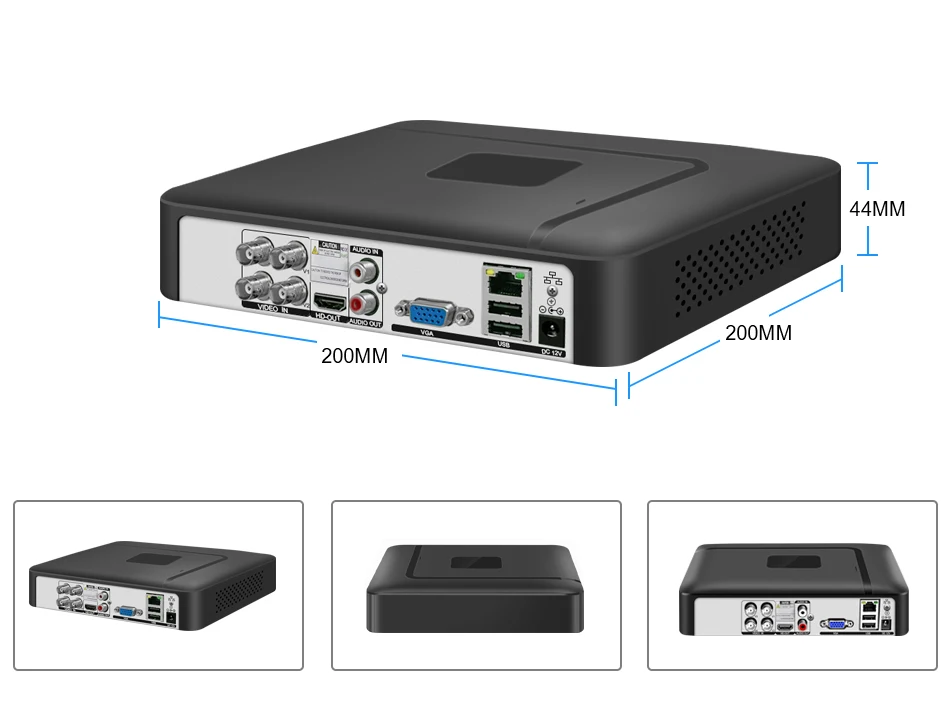
- Video input:4ch BNC/8ch BNC
- Video output :1ch VGA,1ch HDMI
- Audio input/output :1/1CH RAC
- USB:2 USB Port
- Hard disk: 1 SATA(Each maximum support 6T )(HDD is optional)
- Power Supply:12V/2A
|
|
Models |
A1004N5 |
A1008N5 |
|
System |
Main processor |
NT98321 |
NT98321 |
|
Interface |
Preview |
1/4/8/9 |
1/4/8/9 |
|
Video |
Codec |
H.265 |
|
|
Monitor quality |
VGA(1080P at most);HDMI(1080P at most) |
VGA(1080P at most);HDMI(2K at most) |
|
|
Preview ability |
4*5M-N@20fps(6in1)/4*4M-N@30fps(6in1) |
8*5M-N@12fps(6in1)/8*4M-N@15fps(6in1) |
|
|
Encode ability |
4*5M-N@20fps(6in1)/4*4M-N@28fps(6in1) |
8*5M-N@12fps(6in1)/8*4M-N@15fps(6in1) |
|
|
Decode ability |
2*5M-N@20fps(6in1)/2*4M-N@28fps(6in1) |
8*5M-N@12fps(6in1)/8*4M-N@15fps(6in1) |
|
|
Multi-mode input |
Analog: 4*5M-N |
Analog:8*5M-N |
|
|
Digital to analog conversion |
Unsupport(except hybrid mode) |
||
|
Motion Detection |
Each screen can be set to 192 (16 * 12) detection areas; multi-level sensitivity can be set (Limited local channel) |
||
|
Audio |
Audio compression |
G.711A |
|
|
Intercom |
support |
||
|
Record & playback |
Record mode |
manual>alarm>motion detection>timing |
|
|
Local Playback |
2ch(analog input mode) |
4ch(analog input mode) |
|
|
Search mode |
Search by time, calendar, event, channel |
||
|
Storage & backup |
Video storage |
HDD, network |
|
|
Backup mode |
Network, USB hard disk, USB burner, SATA burner |
||
|
External Interface |
Video input |
4ch BNC |
8ch BNC |
|
Video output |
1ch VGA, 1ch HDMI |
||
|
Loop Vout |
N/A |
||
|
Audio I/O |
1/1 |
||
|
Alarm I/O |
0/0 |
||
|
Network interface |
RJ45 10M/100M self-adaption |
||
|
PTZ control |
Support kinds of PTZ protocols |
||
|
USB |
2* USB 2.0 ports |
||
|
HDD |
1*SATA ports (Max 14TB/per) |
2*SATA ports (Max 14TB/per) |
|
|
Wireless |
3G, WIFI (extend via USB) |
||
|
General |
Power supply |
12V/2A |
|
|
Power Consumption |
<15W (without HDD) |
||
|
Working environment |
Temperature:0°C—+55°C,Humidity:10%—90%,Atm:86kpa—106kpa |
||
|
Dimension |
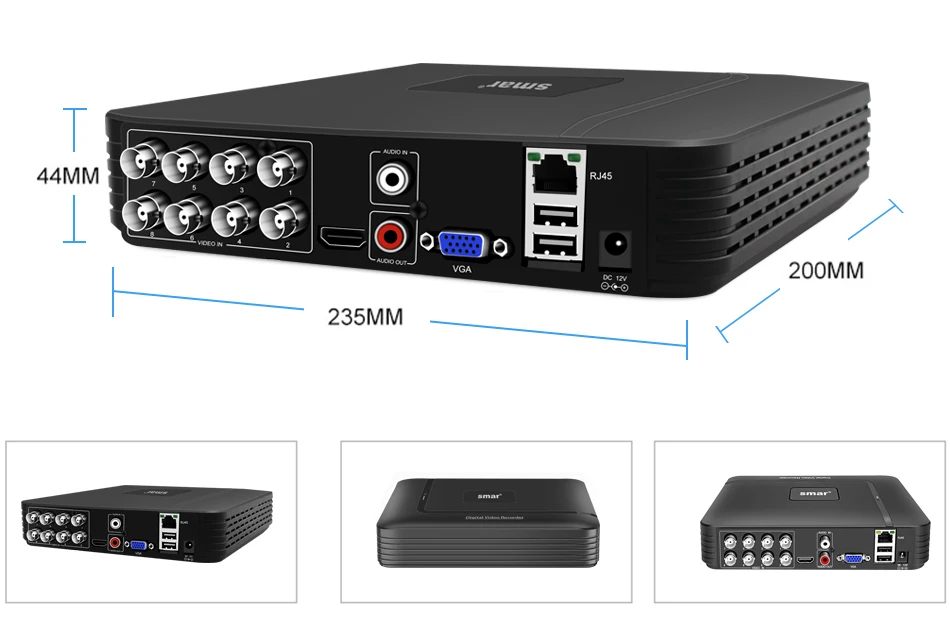
200mm*200mm*42mm |
200mm*200mm*42mm |
|
|
Weight |
0.43(about) |
0.46(about) |
|
Packing List:
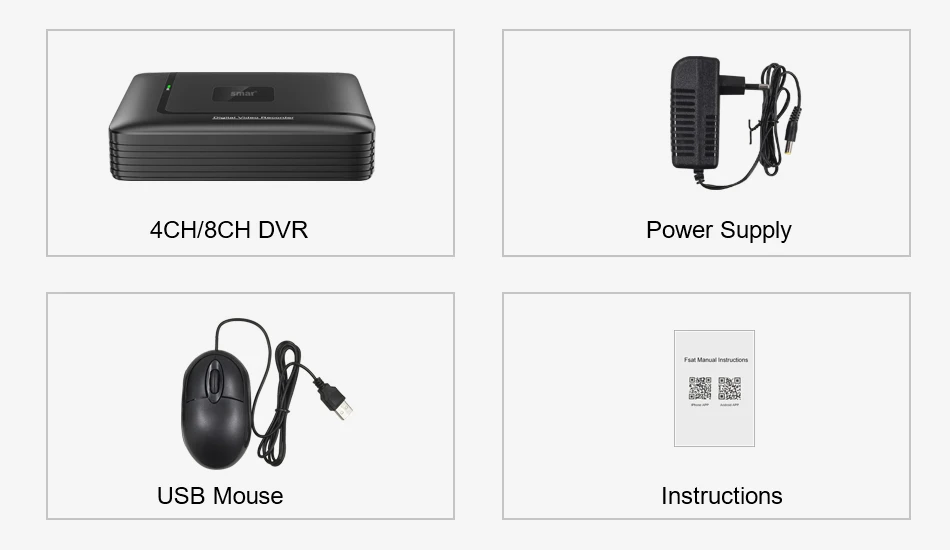
1 x 4CH or 8CH Mini Hybrid CCTV DVR 5 in 1 (No HDD Included HDD)
1 x USB Mouse
1 x Power Plug
1 x Fast Operation Manual
1. Video Compression: H.265+
2. Encode Capacity: 4 * 5M-N @25FPS, NTSC @30FPS
3. Video Input/Output: 4CH BNC/1CH VGA Input,1CH HDMI/VGA Output
4. Audio Input/Output: 1CH RCA Input, 1CH RCA Output
5. Recording,Playback,Backup Resolution:2* 5M-N
6. USB:2*USB 2.0
7. HDD:1*3.5" SATA Port(Max support UP TO 8TB)
8. P2P Remote View:Support IOS,Android
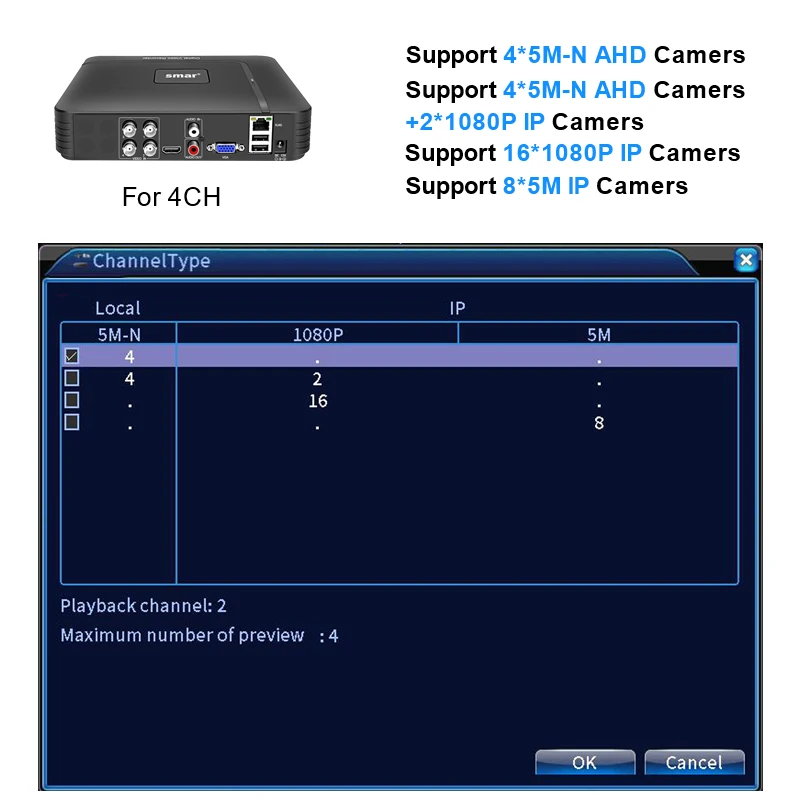
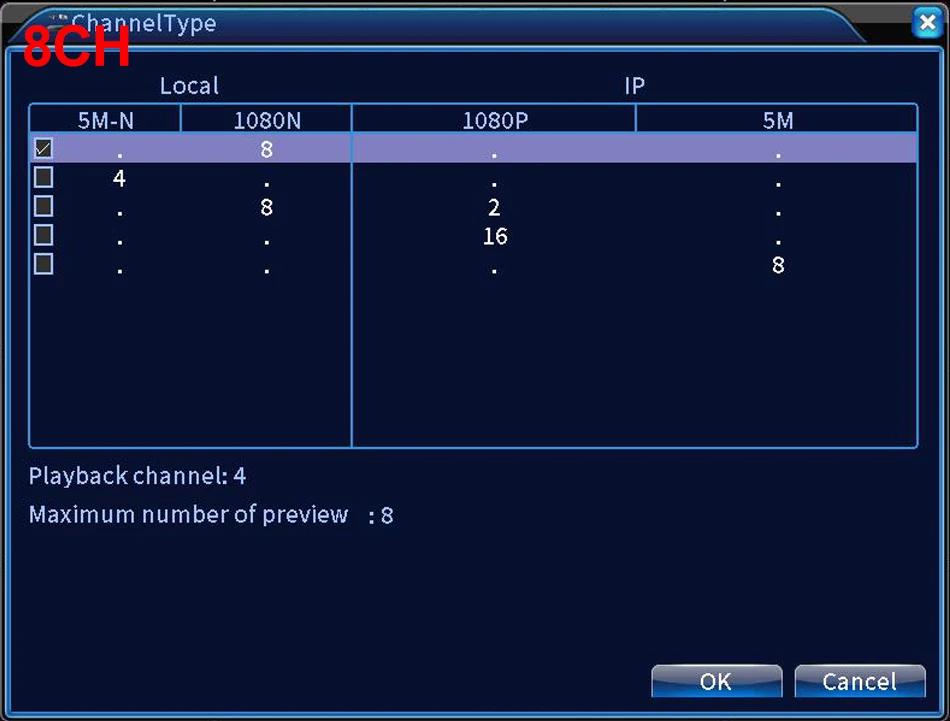
9. Three Different Channel Type Optional:
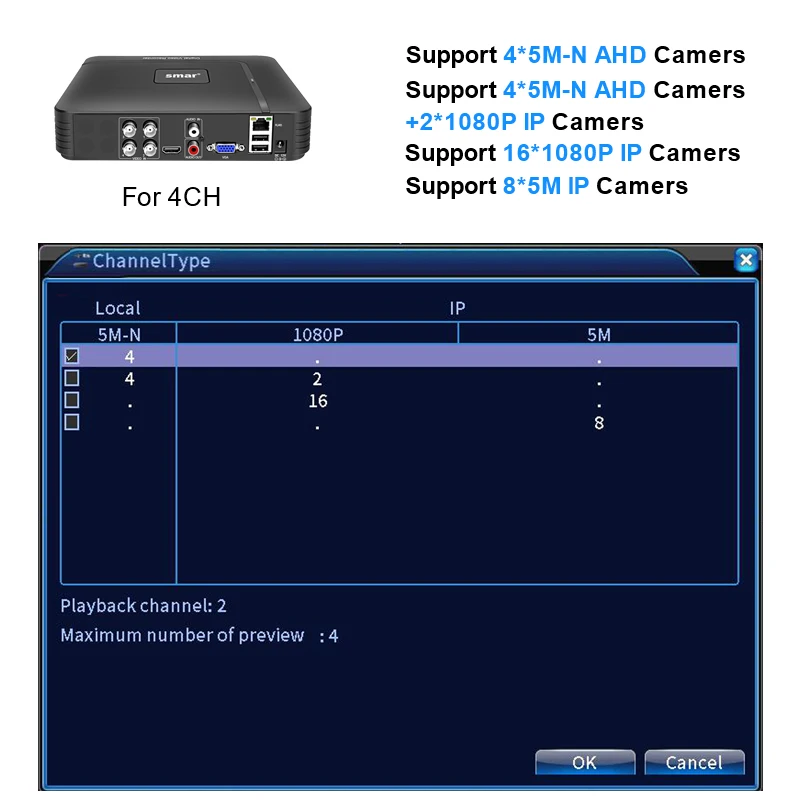
Analog Channel Type: 4CH 5MP-N XVI/AHD/CVI/TVI
Network ChannelType: 16CH IP 1080P or 8CH IP 5MP
Analog+Network ChannelType:4CH 5MP-N XVI/AHD/CVI/TVI+2CH IP 1080P
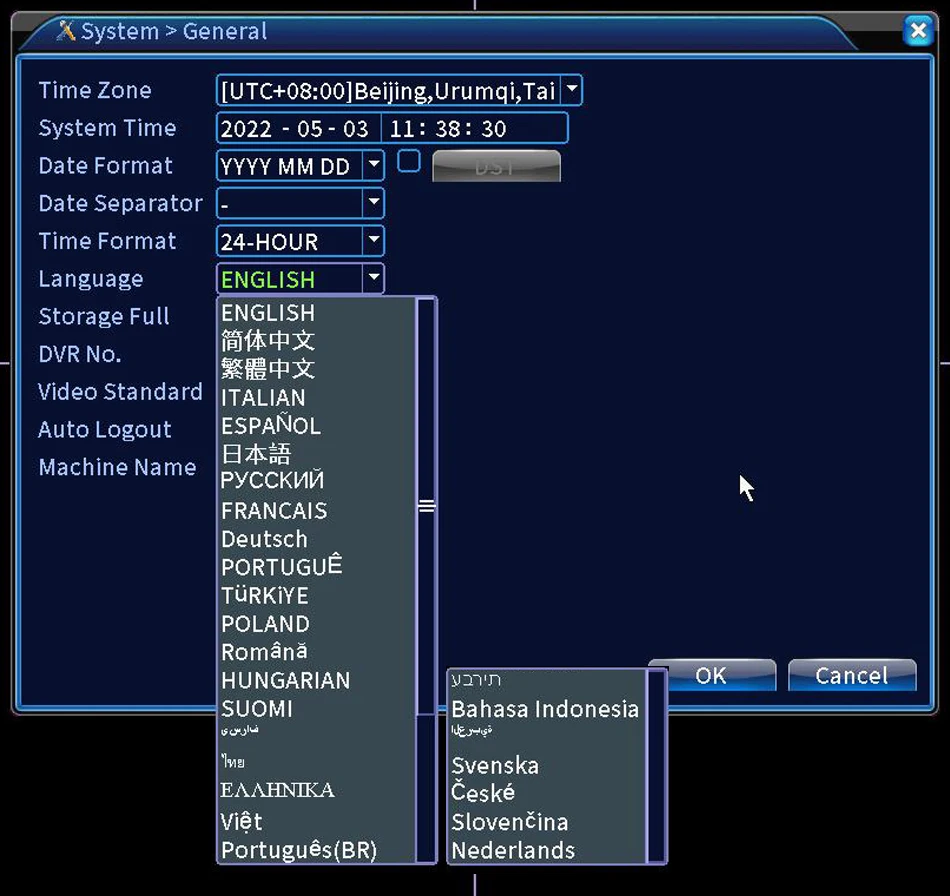
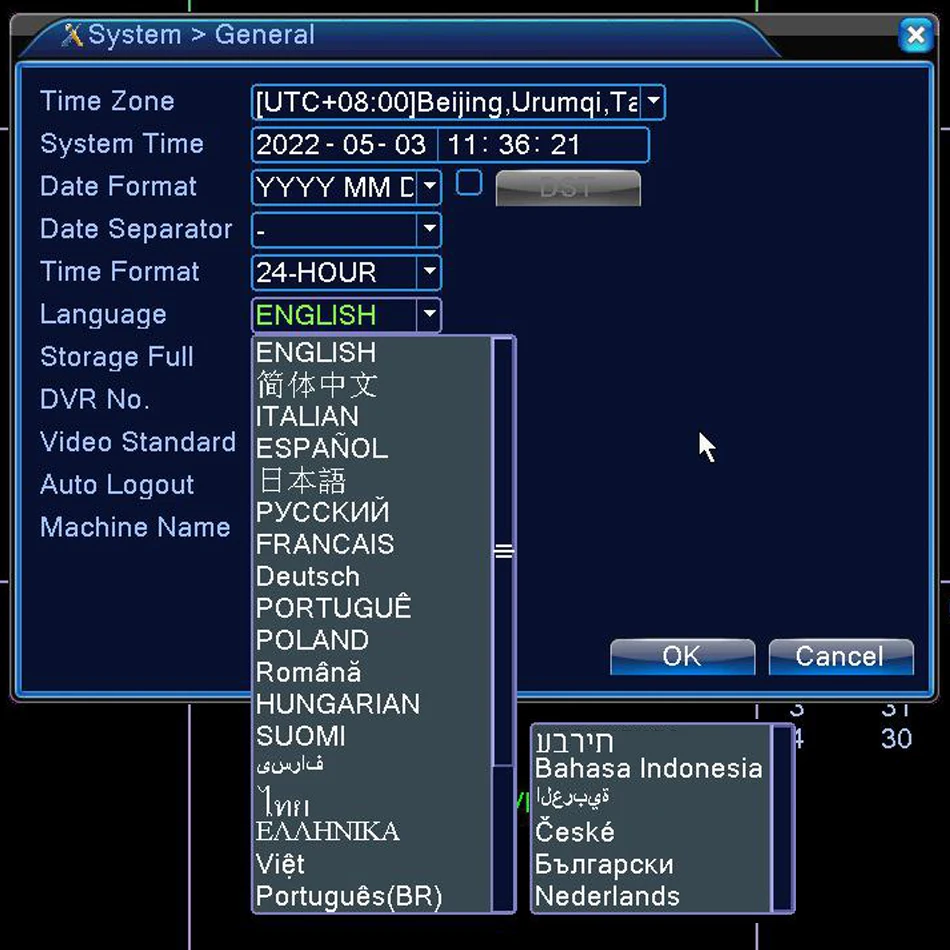
10. Language: Support 20+languages: It has English, Chinese, Italian, Spanish, Japanese, Russian, French, German, Portuguese, Turkish, Polish,
Romanian, Hungarian, Finnish, Farsi, Thai, Estonia, Vietnamese, Brazilian, Hebrew, Indonesian, Arabic, Swedish, Czech,Slovenian, Dutch...
Note: Default Display of Resulution:1920*1080,Your monitor must be has the same display of Resolution, otherwise it will not image output.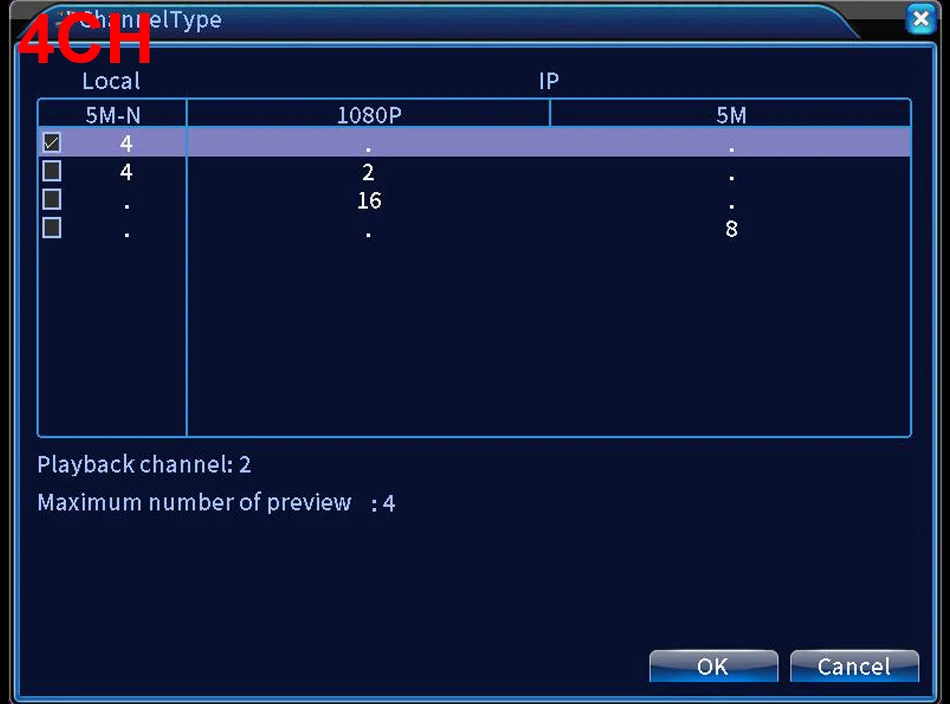
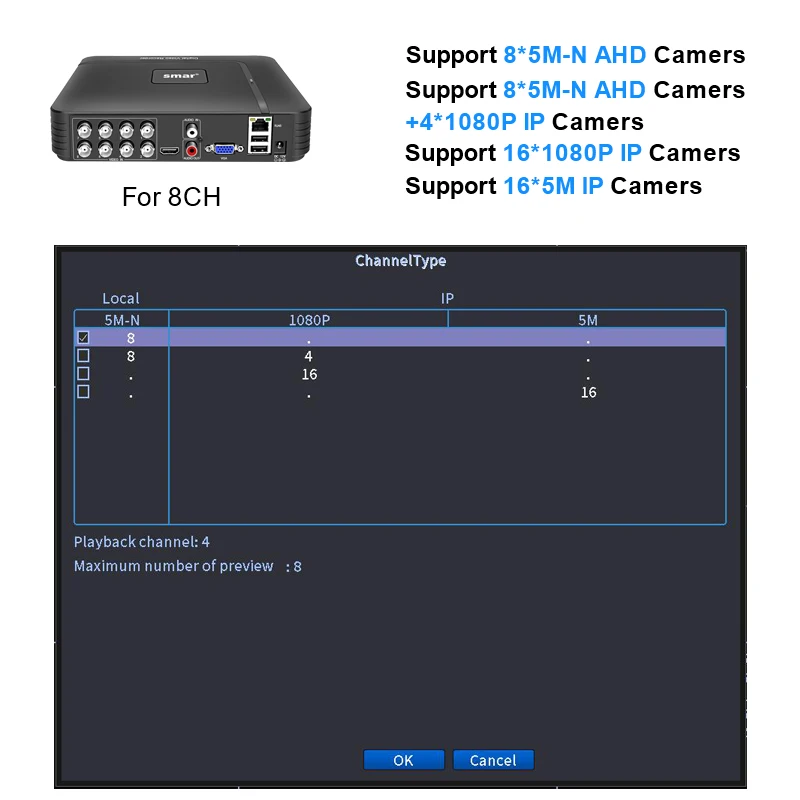
8CH 5MP-N For 8 Channel Hybrid DVR(5 in 1)
1. Video Compression: H.265X
2. Encode Capacity: 8 * 5M-N @25FPS, NTSC @30FPS
3. Video Input/Output: 8CH BNC/1CH VGA Input,1CH HDMI/VGA Output
4. Audio Input/Output: 1CH RCA Input, 1CH RCA Output
5. Recording,Playback,Backup Resolution:8*5M-N
6. USB:2*USB 2.0
7. HDD:1*3.5" SATA Port(Max support UP TO 8TB)
8. P2P Remote View: Support IOS,Android
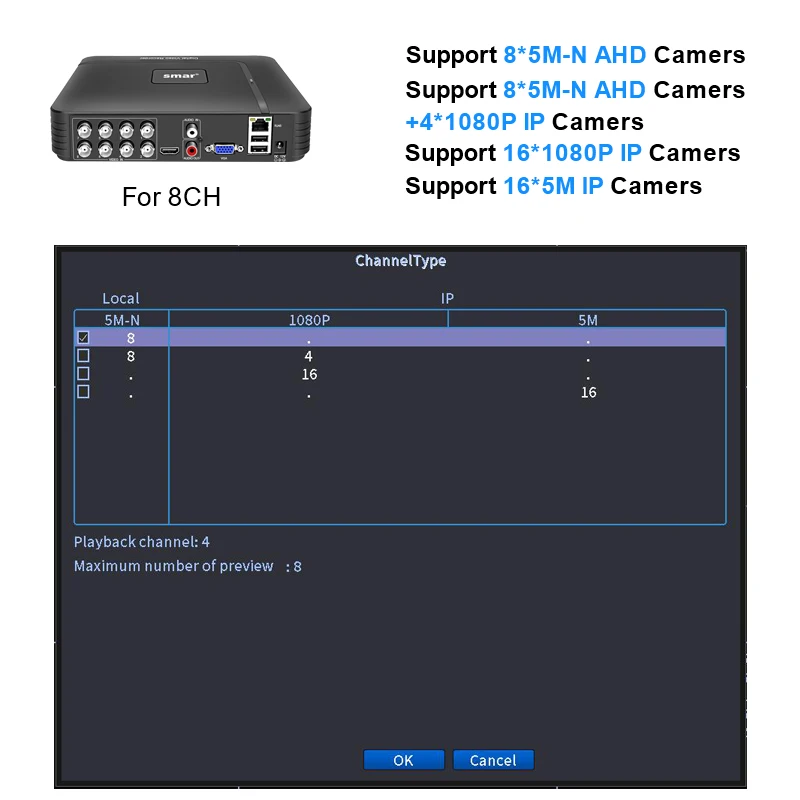
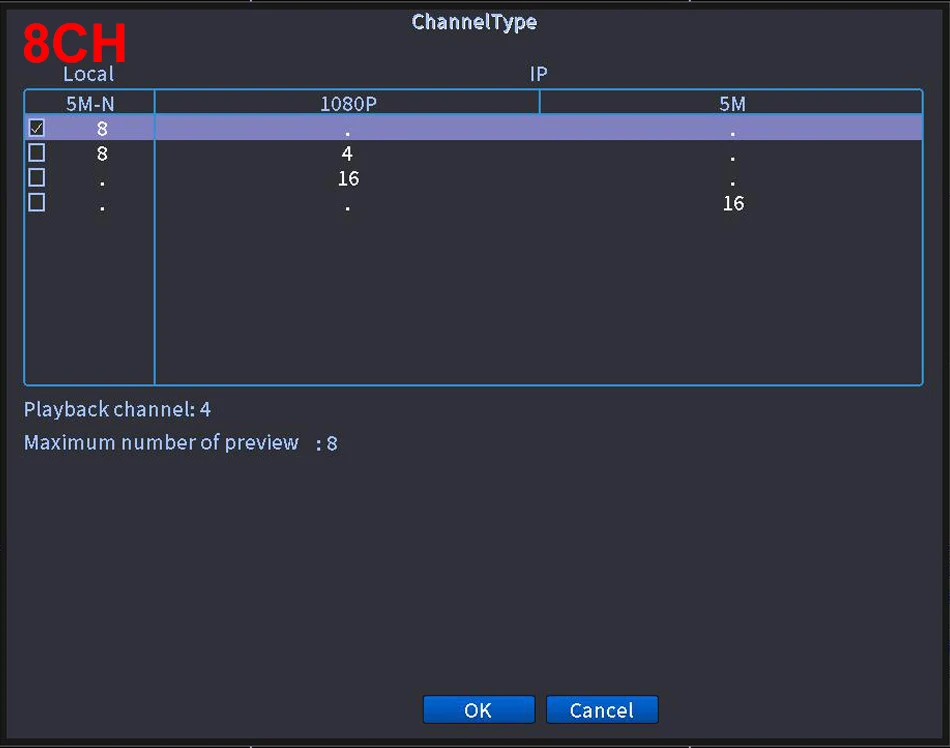
9. Three Different Channel Type Optional:
Romanian, Hungarian, Finnish, Farsi, Thai, Estonia, Vietnamese, Brazilian, Hebrew, Indonesian, Arabic, Swedish, Czech,Slovenian, Dutch...
Note: Default Display of Resulution:1920*1080,Your monitor must be has the same display of Resolution, otherwise it will not image output.
Kind Reminder:
The 8 Channel DVR has been upgraded. The old version maximun support 4CH 5M-N, and the new version maximum support of 8CH 5M-N;
(The goods shipped from Moscow warehouse include both old and new versions, MIX AND SHIP RANDOMLY, If you only want to 8 channel of new version, please choose ship from China when you order; Please read this information carefully before purchasing, and we reject any disputes arising from this issue.)
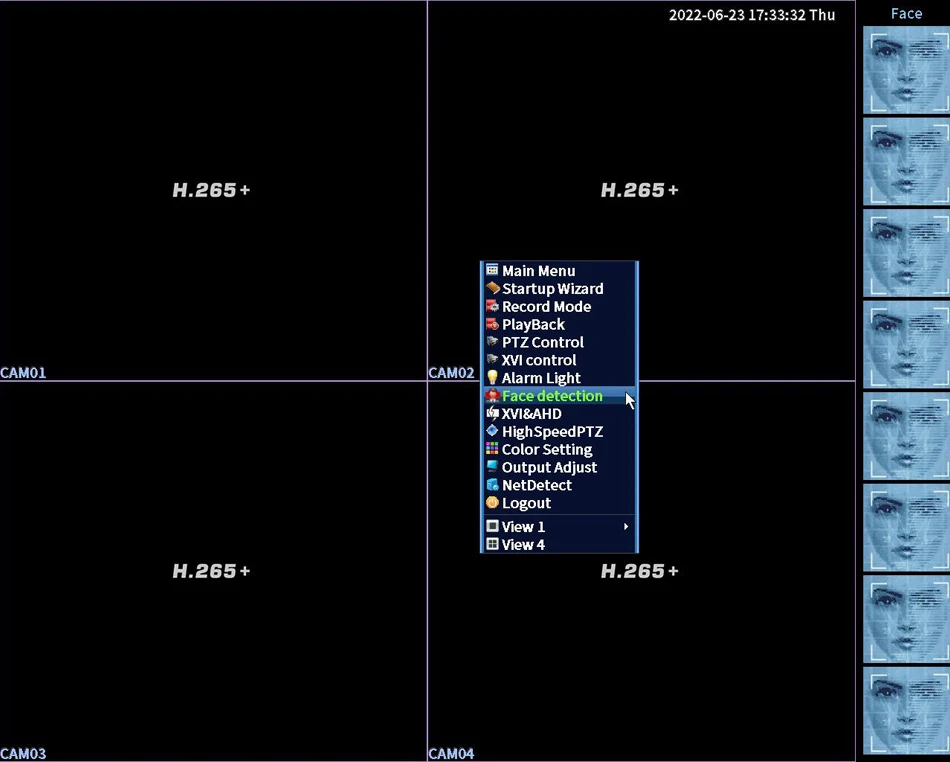
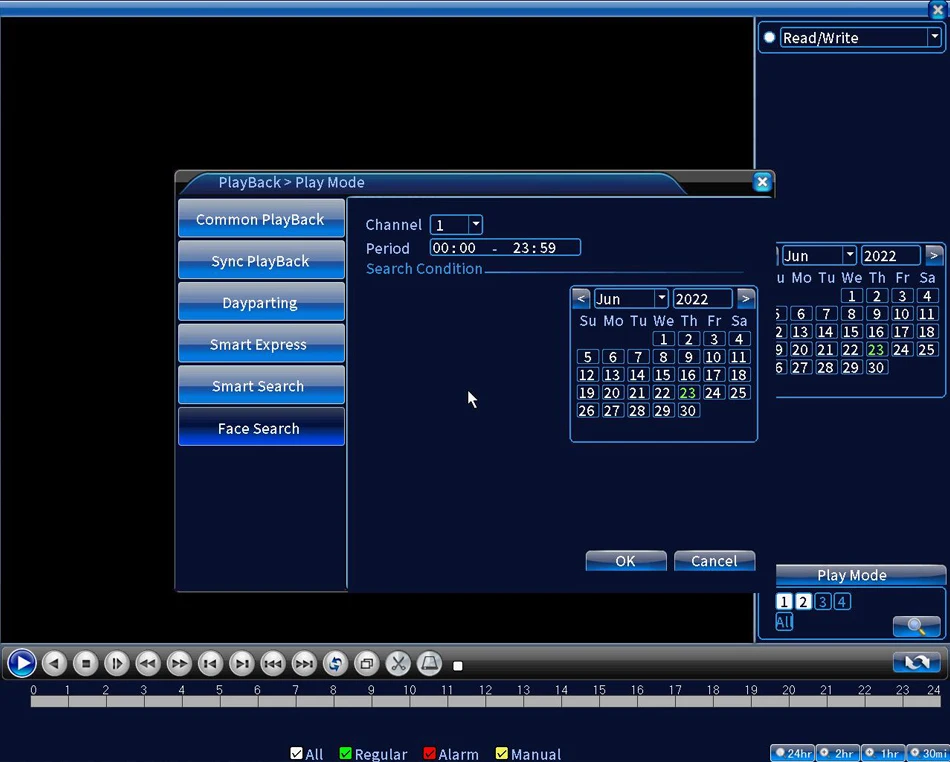
Face Record/Face Detection/Face Playback
Record every face that appears on the lens, without missing any details.
You need use the Face Detction Function IP Camera
Your Camera Must support XM Face Detection, or will not work)


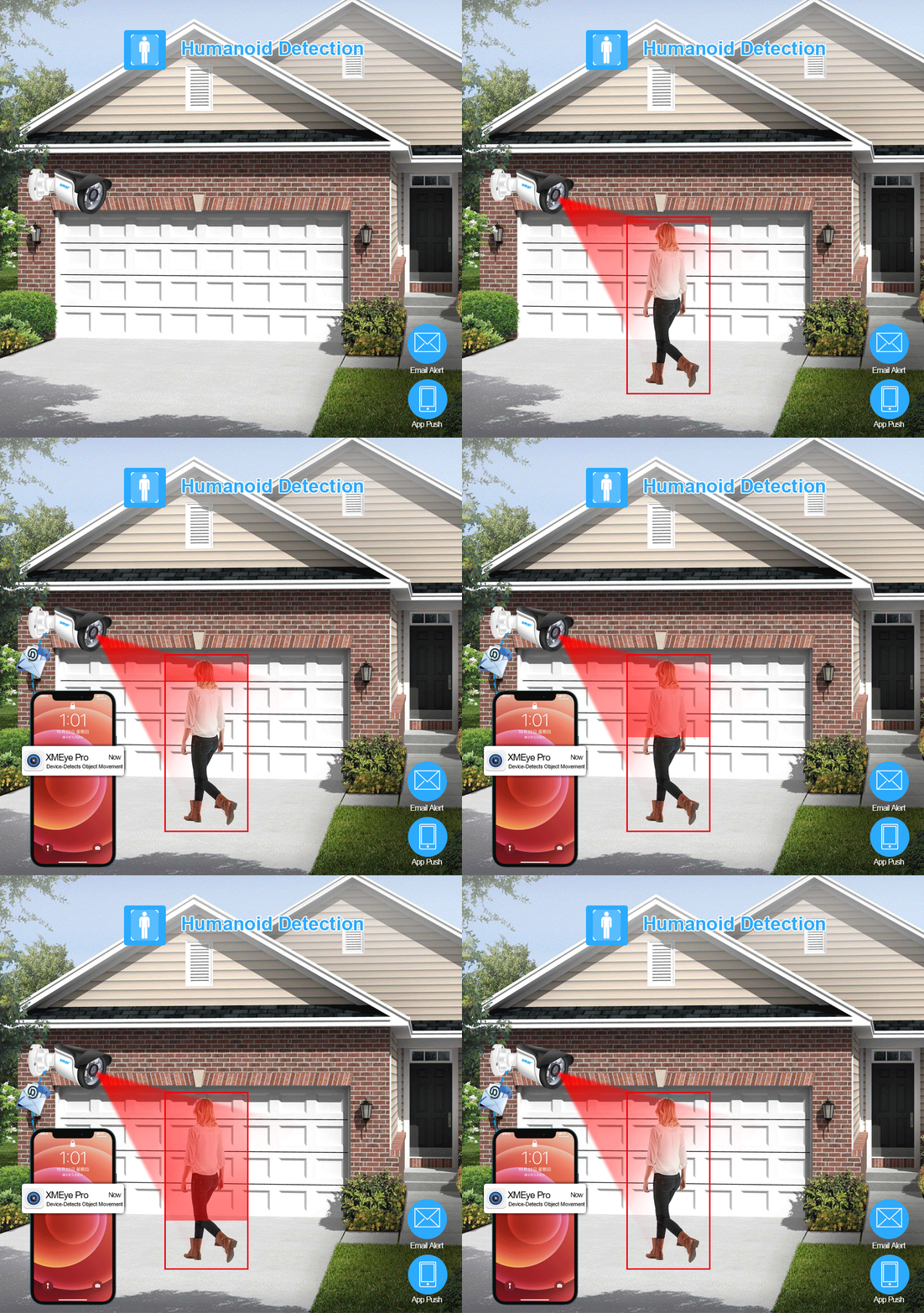
Ai Human Detection Alerts

When Human is detected the DVR will save the footage into hard disk without missing any important events. then immediately sends App notifications to your phone so you can see what's happening anywhere.
E-mail Set
Please note: SMTP Server only support these Email Box:126,163,gmail,sina,139,156,qq format, And the recipient can set up 5 vaild mail.
Mail Testing: Test message sent success(It's OK)
Mail Testing: Failed to connect to server.(It's failure)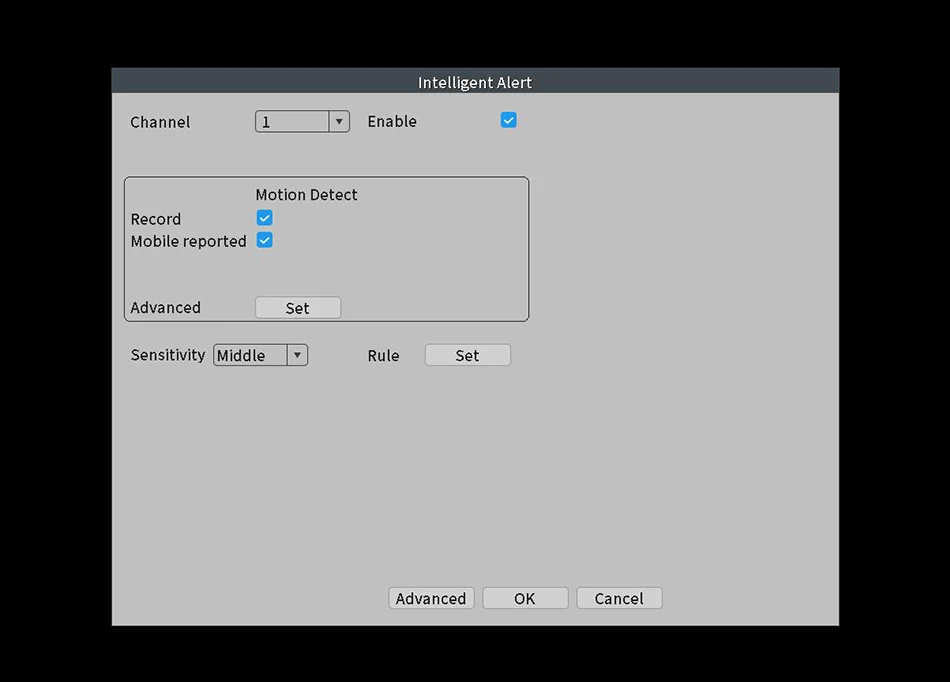
Advanced H.265+ Video Compression
H.265 (HEVC) doubles the coding efficiency compared with its predecessor H.264. That means H.265+ video saves around 70% of the bit rate at the same quality of coding, HD resolution offer you best image quality in a lower bit rate,save your HDD storage space and reduce your purchase cost.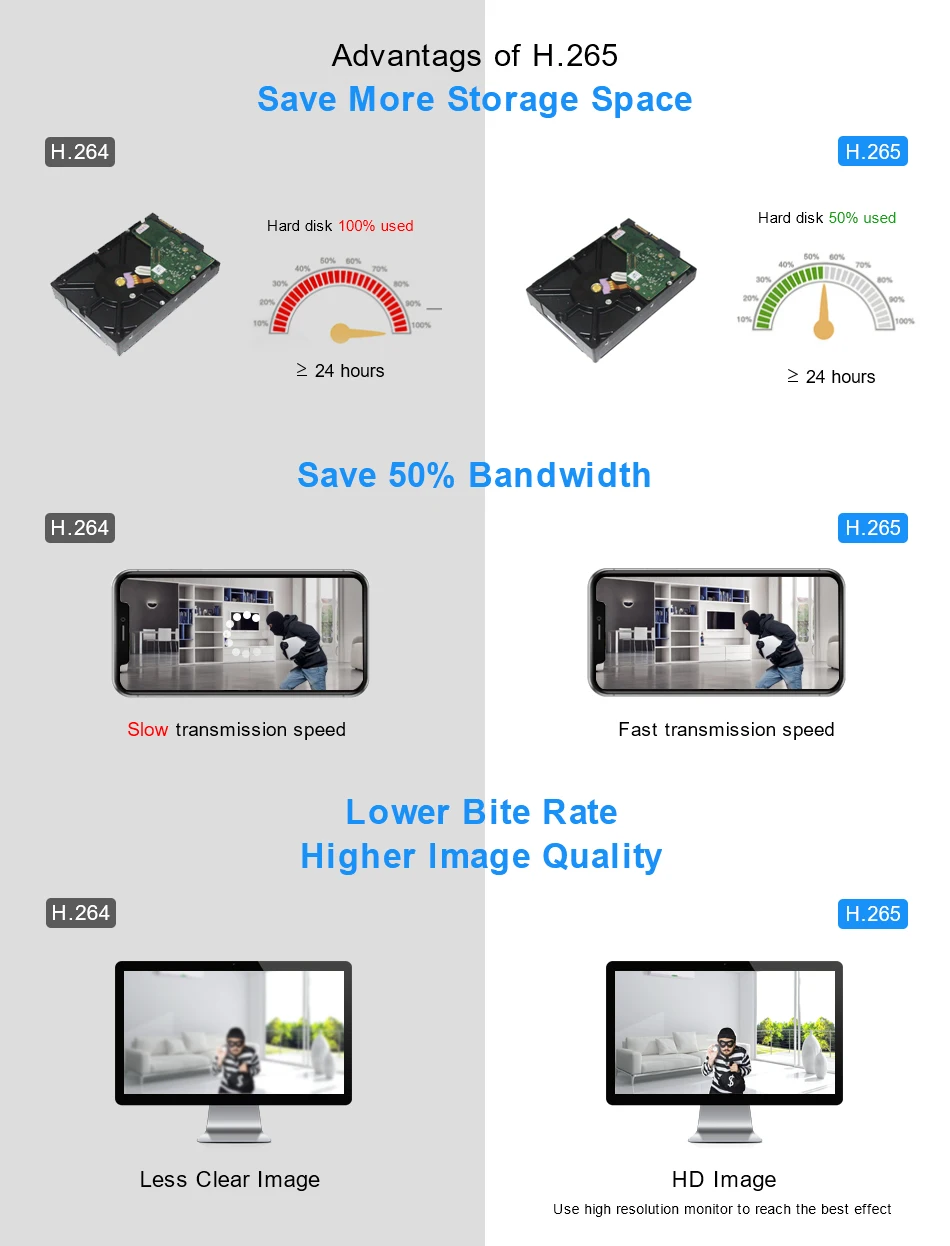
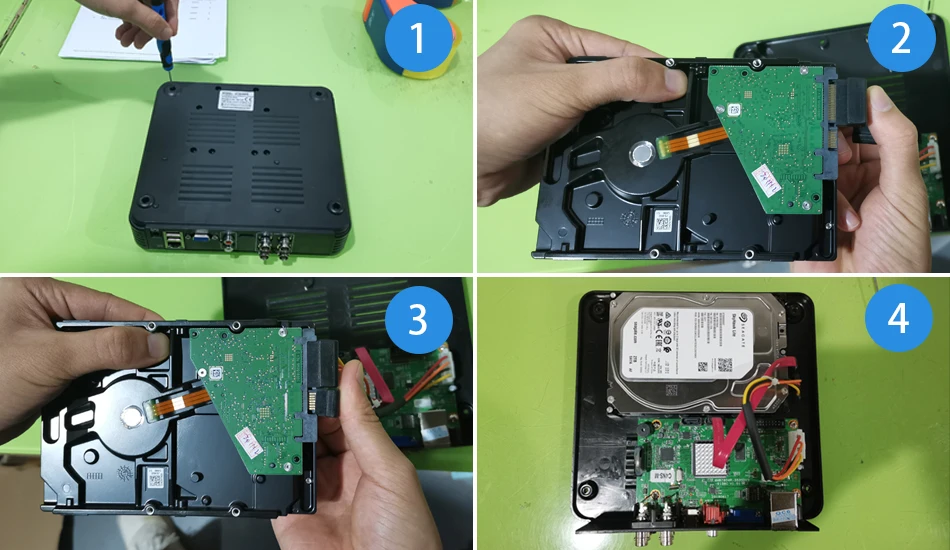
HDD Recommend:
1.It support 3.5" SATA HDD ,Max support 1*4TB HDD.
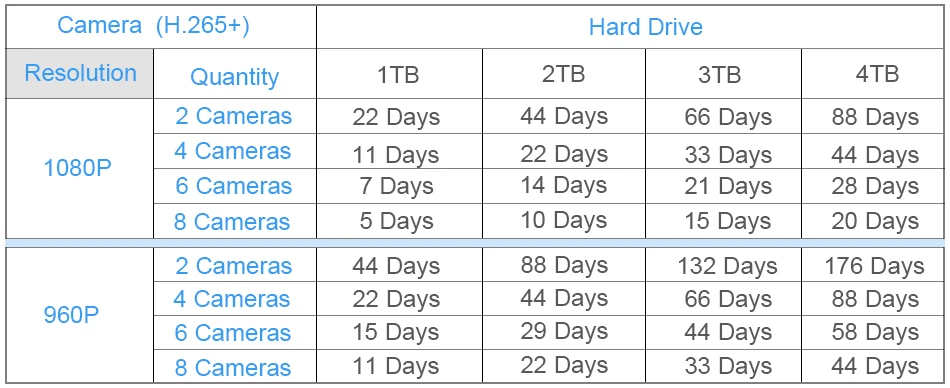
2. We can Recommend Professional 3.5" SATA Interface 1TB/2TB/3TB/4TB HDD For you ,please click below picture:
NoteWhen the hard disk is full, the system will automatically delete the oldest recorded video, thus achieving intelligent loop recording.
Data are for reference only, subject to actual use.

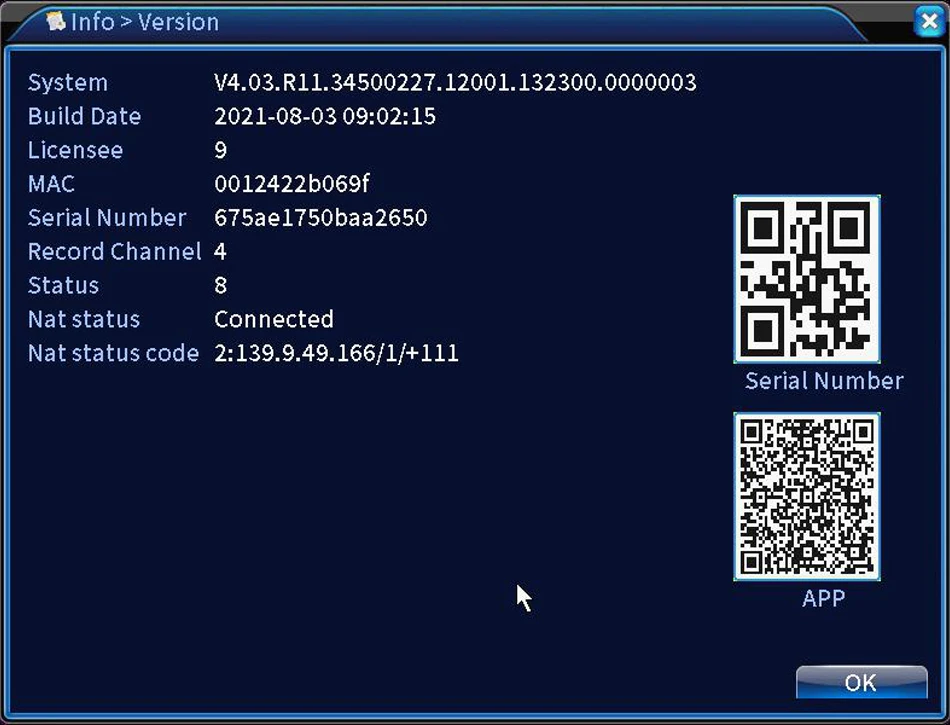
Version Information
When you need firmware, you can send this photo to us. Usually, the firmware needs to be updated every 3-4 monuthes, So please don't ask us again this time. When you send photos, please add your email address, and we will send firmware to your address.
Support ONVIF
You can connect any brand's Onvif IP Cameras to our this NVR;
HDMI & VGA Output
Default Display of Resulution:1920*1080,Your monitor must be has the same display of Resolution, otherwise it will not image output

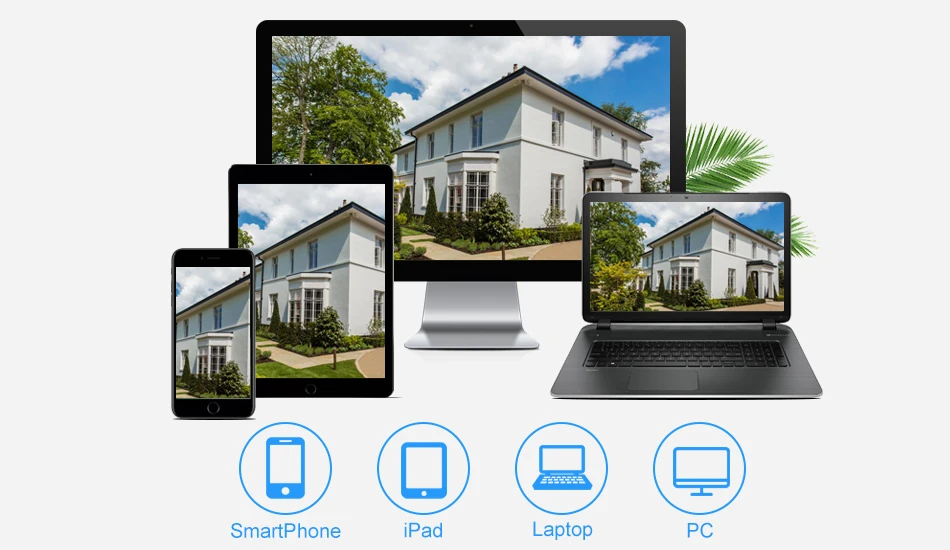
Easy access via multi-platform
Support Mobile Phone iOS, Android System,Remote view of mobile phones, any time... any where...
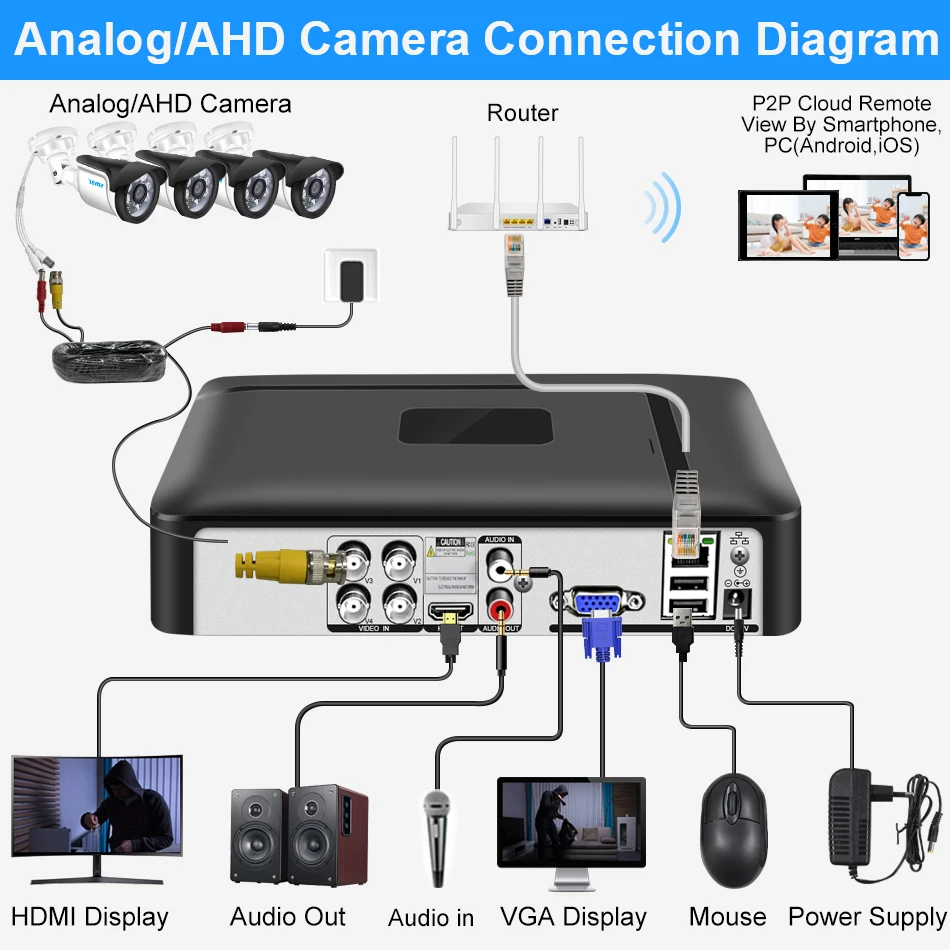
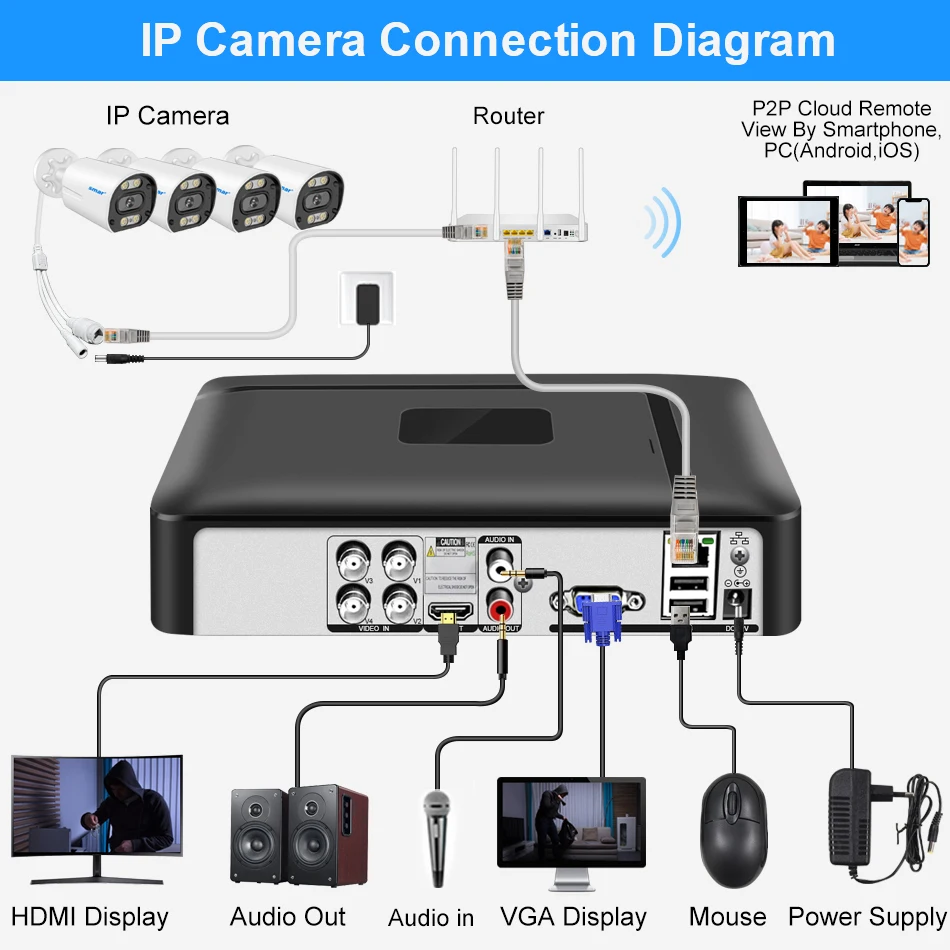
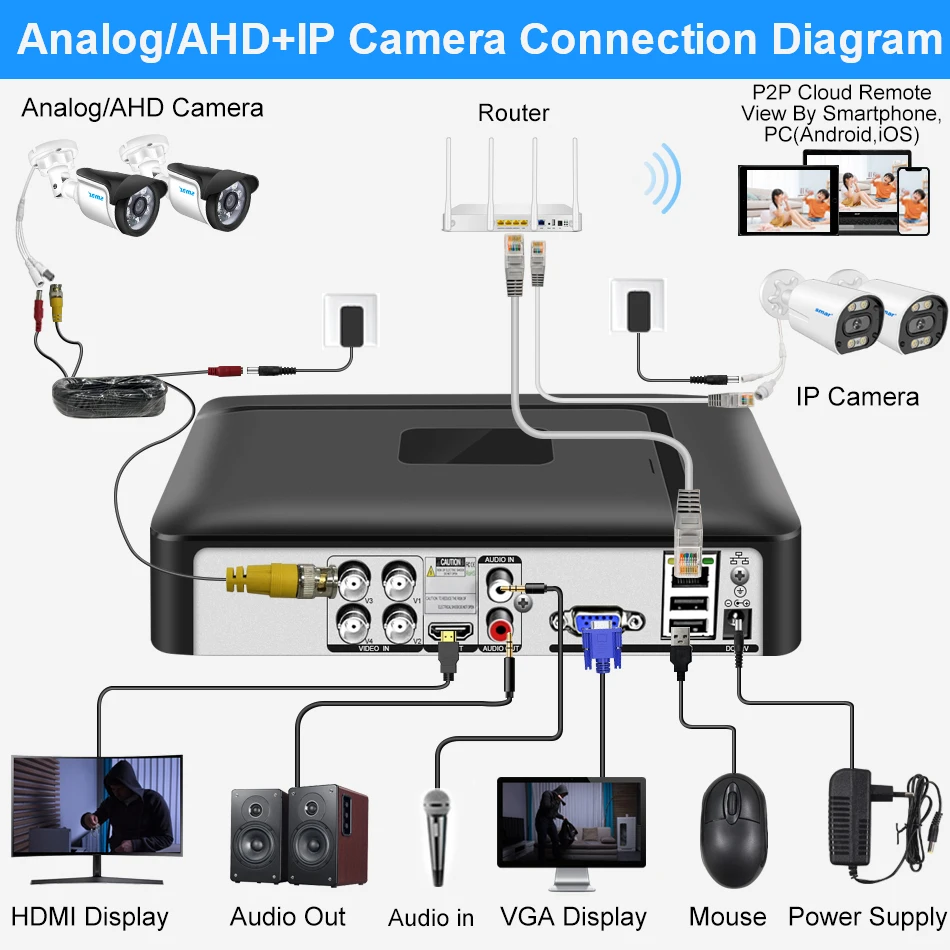
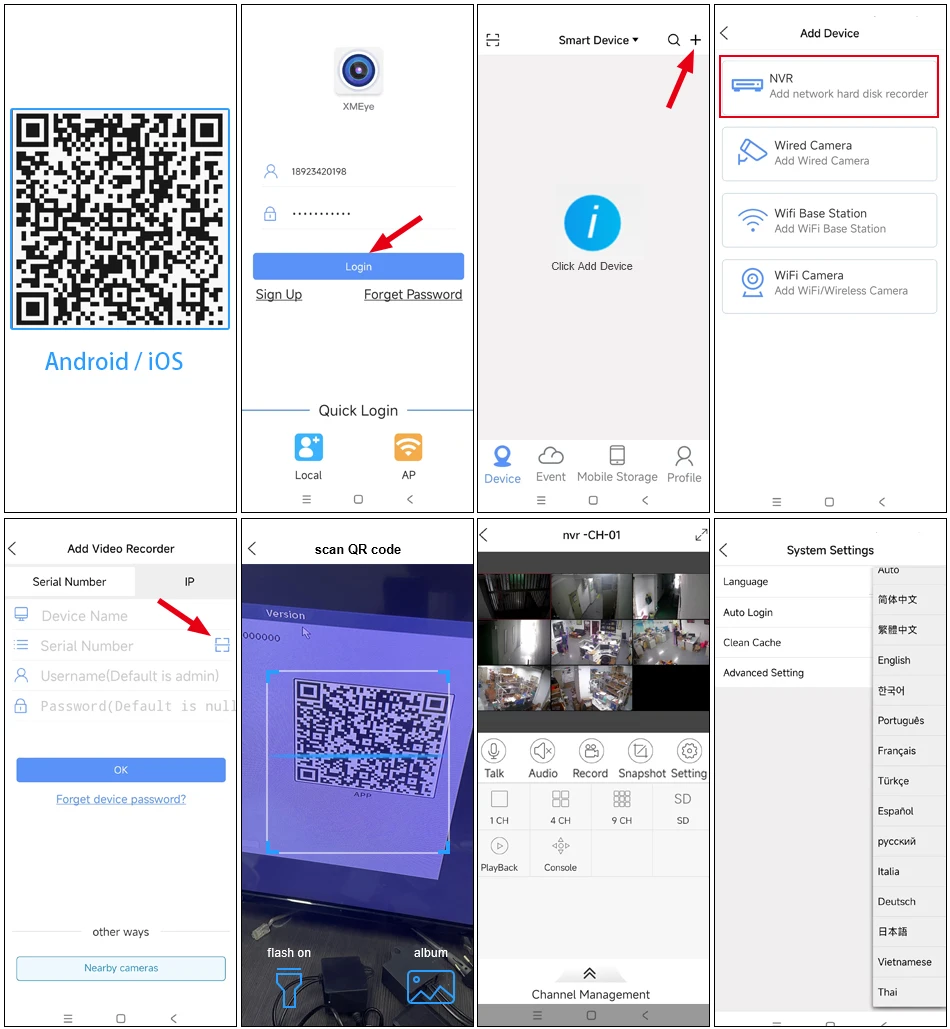
How to remote view through Mobile phone?
1. Dowload XMEye Pro Free APP in your mobile phone;
2. Open the software register an account and login.
3. Add devices( Connect the camera to the NVR first)
4. Add successfully, enjoy live video.
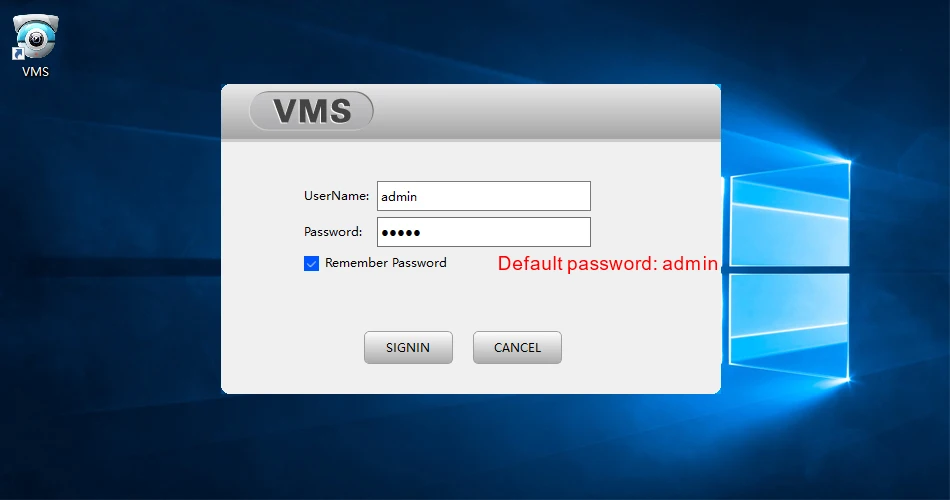
How to manage the cameras through PC client?
1. Please used your mobile phone to scan the QR code as below, and then click to download;
2. Please install VMS software on your computer, then login VMS Software, Username: admin, Password:admin
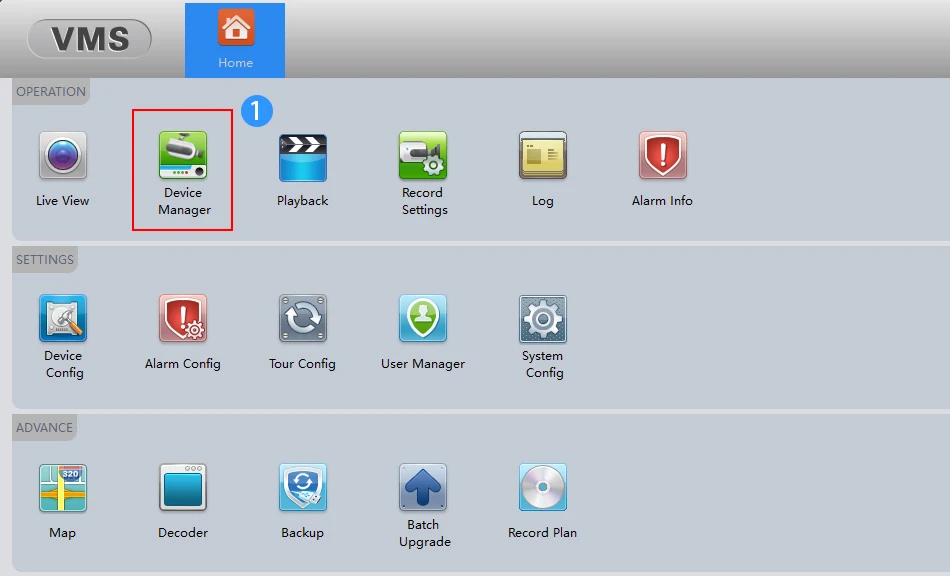
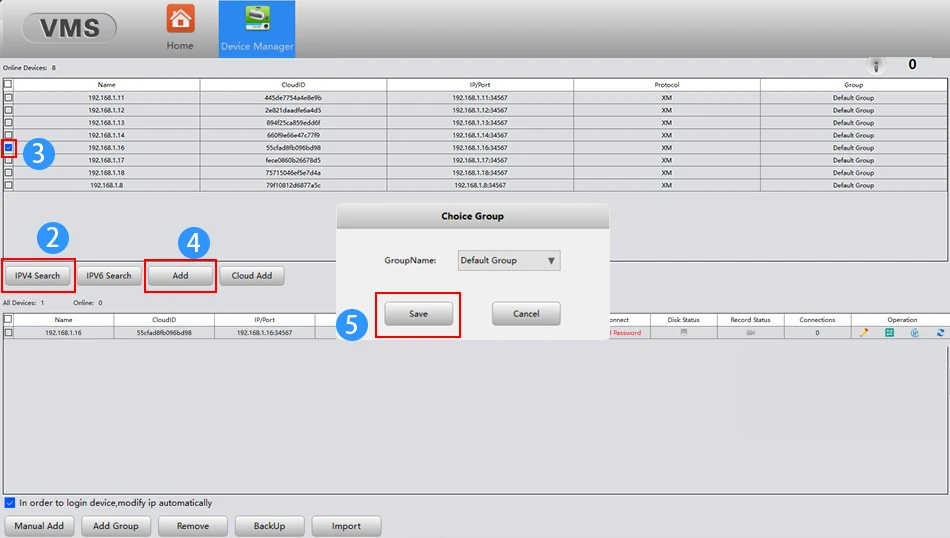
3. Please click the Device Manager-IPV4 Search-choose address of IP Camera- ADD-SAVE,Search and Camera successfully;
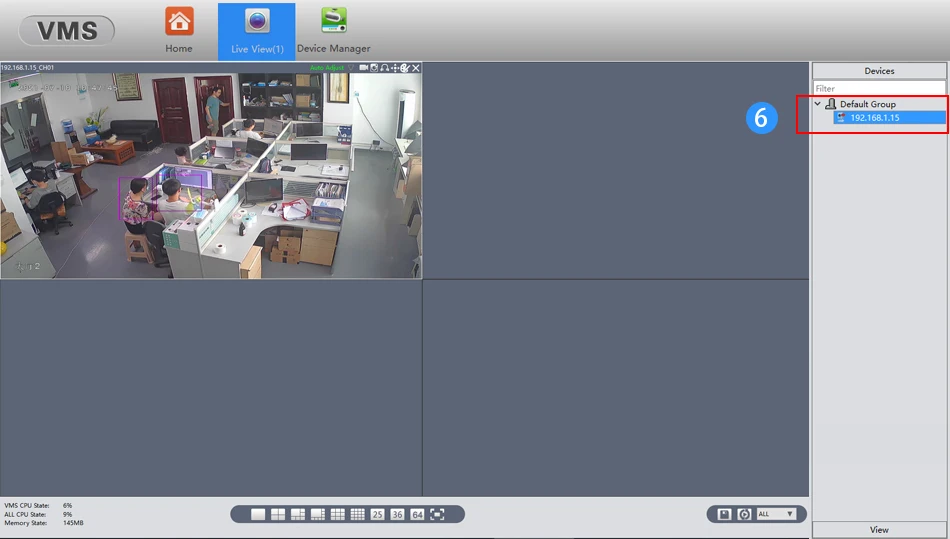
4. Click t he Live View, then click IP Address of Default Group, then you will can Watching Video.
How to access the Cameras through Website?
Please login your Google or IE or Firefox browser,
Then input default address 192.168.1.10 in your browser
Username:amdin
Password:null (empty)
Remind: If you use the software first time, you need to install a plugin in your computer.
How to access the Cameras through P2P Cloud?
If you want to remote view through P2P Cloud,Please search the P2P cloud website in IE/ Firefox / Google browser:https://www.xmeye.net/index
then enter your P2P ID and Password, then login in.
Remind: If your computer can't open this website, please install all the Plug-ins in your computer, otherwise, Otherwise, you will not be able to remotely access this DVR.